




How can we help?
Having a problem? Choose your device, ask your question, and we'll guide you step by step. You can also contact us from the Invoxia app.
Virtual assistant, 24/7Answers in 8 languages
Answers people look for most
- Charge your tracker for 90 minutes first: it switches on as soon as it starts charging. Then open the Invoxia GPS app, create or sign in to your account, tap "Add a tracker" and keep the tracker right next to your phone, with Bluetooth on. Once it is set up, take it outside: the first location can take up to 30 minutes.
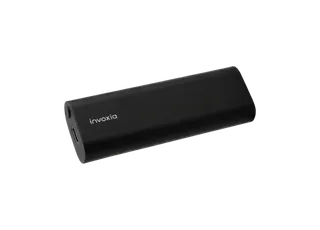
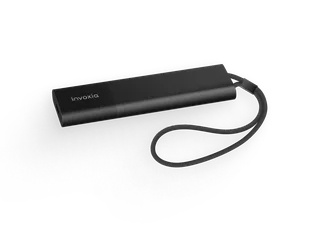
- It depends on the model and on how often the tracker sends its position: about 3 to 6 months for the GPS Tracker Classic 2026 Edition, 1 to 6 months for the Pro Max and 15 days to 4 months for the Pro. A higher frequency shortens it, and you can change it in the app at any time. The app alerts you when the battery drops to 20%.
- Charge it for at least 90 minutes, then restart it by holding the recessed button for 20 seconds (10 seconds on the Biotracker), without letting go even if the LED goes off. Leave it outside or on a windowsill for about an hour, logo facing the sky and away from metal. If it is still offline, unpair it in the app's advanced settings and set it up again. Still nothing? Send us a request and our team will take over.
- The subscription is what lets your tracker send its positions over the network: without an active one, it stops reporting. Most trackers come with a period included, whose length depends on the model and the offer and is shown on your invoice. You can renew it or change your plan from the Invoxia portal or in the app, signed in with the same email as your account.
- It depends on the model. The GPS Tracker Pro and Pro Max use 4G LTE-M and work in dozens of countries, with no roaming fees. The GPS Tracker Classic works on the network of the country chosen at setup, and that choice is final. Check the list of covered countries in the help center before you travel.
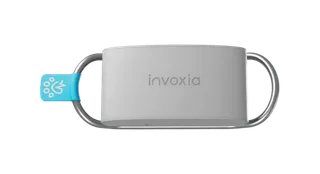
- The Biotracker has its own app, Invoxia Biotracker. Charge it for 30 minutes to an hour, turn on Bluetooth, sign in, tap "Add a device" and keep the Biotracker within 1 metre of your phone until a beep confirms the pairing. Allow Bluetooth, location ("Always"), notifications and background refresh so the collar keeps syncing.
- Your orders and invoices are listed in the Invoxia portal, signed in with the email you ordered with. For a delivery question, send us a request with your order number. Bought from a retailer or on Amazon? Contact them first: they handle the delivery.
- Devices bought in the United States come with a 1-year warranty from the date of purchase, covering manufacturing defects (not loss, theft or liquid damage). You can also return an order placed on our website within 30 working days of receiving it, complete and in its original packaging, for a refund. Contact us first and we will email you a return label.
Still need a hand?

Ask the assistant
Instant answers, any time of day, on setup, battery, location or your subscription.

Browse the help center
Setup guides, troubleshooting and detailed articles for every Invoxia device, written by our support team.
Open the help center

Open a ticket
An order, a return or a case of its own? Describe your situation to our team and we will get back to you.
Submit a request