

A GPS tracker can make a real difference when a vehicle, bicycle, motorcycle, bag, or valuable item goes missing. It allows you to locate an asset, receive alerts in case of suspicious movement, and act faster when a theft or unauthorized movement occurs.
But a GPS tracker is not magical!
Poorly placed, misconfigured, never tested, or forgotten in a drawer with a dead battery, it can lose much of its usefulness. It’s often when you need it most that these small errors become problematic.
And that’s precisely to avoid these unpleasant surprises that the choice of tracker matters as much as its use. A good GPS tracker must be discreet, reliable, autonomous, and capable of transmitting its position remotely without relying solely on a nearby phone. This is one of the great advantages of Invoxia GPS trackers: they are designed to protect everyday vehicles and objects with real autonomy, movement alerts, and tracking from the app.
Here are the main mistakes to avoid with a GPS tracker to keep it truly useful on a daily basis.
Why a GPS Tracker Can Lose Effectiveness #
A GPS tracker is primarily used to locate an asset or person and help you react quickly in case of a problem. Depending on the model, it can also send movement alerts, keep a position history, allow you to create safety zones, or facilitate the sharing of useful information with law enforcement.
But its effectiveness depends on several factors:
- its placement;
- the quality of GPS reception;
- the network used to transmit the position;
- the remaining autonomy;
- the alerts activated;
- the user’s good reflexes.
In other words, the GPS tracker is a very useful tool, but it must be used correctly. It’s the difference between an object simply “equipped” and an object truly protected.
It’s also what distinguishes a true autonomous GPS tracker from a simple proximity accessory. To protect a vehicle, motorcycle, bicycle, luggage, or equipment, you need a solution capable of sending alerts and positions even when you’re not next to the object.
Mistake #1: Believing a GPS Tracker Alone Prevents Theft #
The first mistake is to think that a GPS tracker replaces a lock, an alarm, or good security reflexes. That’s not its role.
A GPS tracker does not physically block a thief. It does not replace a strong chain, a motorcycle lock, a secure parking lot, or simply avoiding leaving an object visible in a car. However, it can help you know that an asset is moving, find its position, and transmit useful information after a theft.
It is therefore a complement to protection, not a physical barrier.
To limit risks, you need to combine several levels of security: deter, slow down, detect, locate. This is also why mistakes that facilitate theft are often linked to very simple habits: leaving an object visible, underestimating a short stop, or believing that a familiar place is necessarily safe.
💡 The right reflex: use the GPS tracker as an additional layer of protection, in addition to suitable anti-theft equipment.
Mistake #2: Placing the GPS Tracker in a Too Visible Spot #
A GPS tracker that is too visible can be quickly removed.
This is one of the most common mistakes: installing the tracker in an obvious, easy-to-spot, or easy-to-reach place. In a car, this could be a glove compartment. On a bicycle, an accessory too apparent. In a bag, an outer pocket. On a motorcycle, a spot accessible in seconds.
The goal is to find a balance: the tracker must be discreet enough not to be immediately spotted, but not so hidden that it can no longer capture properly.
Some bad reflexes to avoid:
| Usage | Common Mistake | Best Reflex |
|---|---|---|
| Car | Placing it in an obvious spot | Choose a discreet area, stable and less accessible |
| Motorcycle | Placing it under an easy-to-open part | Prefer a discreet spot, protected and tested |
| Bicycle | Leaving the tracker visible | Use a discreet integration |
| Bag or Luggage | Slipping it into an outer pocket | Place it in an inner compartment |
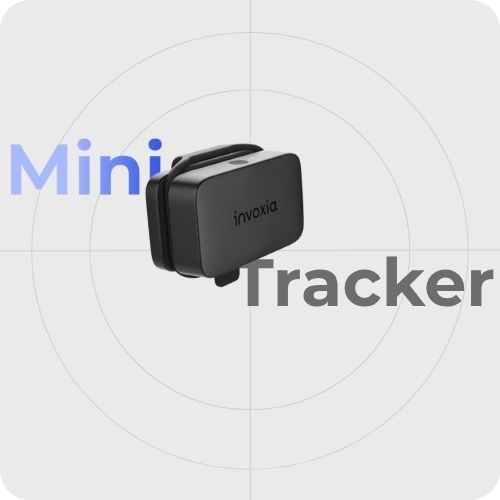
Invoxia GPS trackers are precisely designed to be compact and discreet. The goal is not to draw attention to the protected object but to keep a reliable means of location in case of suspicious movement.
For specific uses, it’s better to consult a dedicated guide rather than applying a single rule. The ideal location will not be the same depending on the constraints of a car, the specific needs of a motorcycle, or the uses related to a bicycle.
💡 The right reflex: hide the tracker, but always test reception after installation.
Mistake #3: Hiding the Tracker in a Signal-Blocking Area #
Hiding a GPS tracker, yes. Locking it in a signal-blocking area, no.
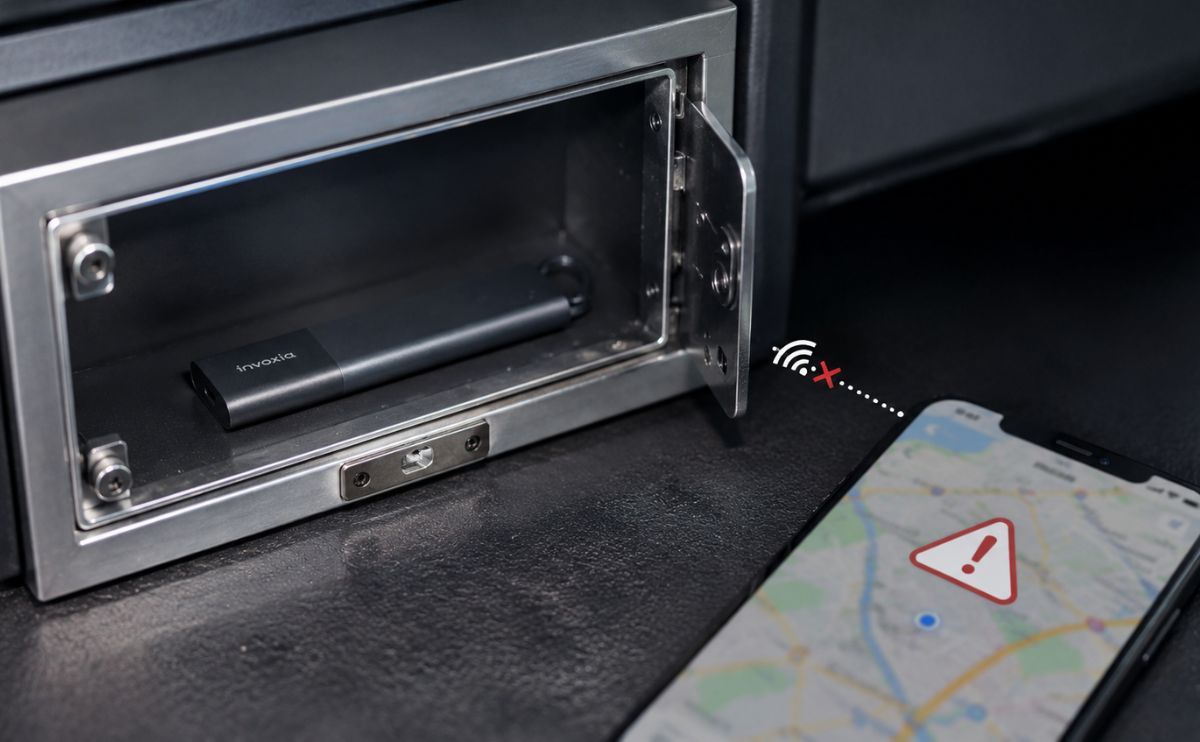
A GPS tracker needs to capture satellite signals to locate itself, then a network to transmit its position. However, some environments can severely degrade reception: underground parking, closed buildings, very dense areas, metal trunk, too insulating vehicle structure, or location surrounded by metal.
The official GPS.gov site reminds that GPS accuracy in real conditions can vary depending on several factors, including the environment, reception quality, and obstacles around the receiver.
This is where the phenomenon of Faraday cage comes into play. When an object is surrounded by conductive materials, like metal, signals can be weakened or blocked.
In practice, this means a location can be very discreet but bad for the tracker’s performance. If the signal is weak, the position can be less accurate, less frequent, or harder to update.
That’s why you shouldn’t just “hide” your tracker: you also need to check that it works properly once installed. With an Invoxia tracker, this check is done from the app, by consulting the last reported position and the tracker’s behavior after installation.
💡 The right reflex: after hiding the tracker, check from the app that it reports a coherent position.
Mistake #4: Forgetting to Check the Battery #
A GPS tracker without a battery is not very useful.
It’s a simple but very common mistake: you install your tracker, feel protected, then completely forget to check its autonomy. The problem is that a theft or loss doesn’t necessarily happen when the device has just been charged.
This is where autonomy becomes a real security criterion. A tracker that needs to be recharged too often risks being empty at the wrong time. Conversely, a long-autonomy tracker integrates more easily into daily life, because it requires fewer manipulations.
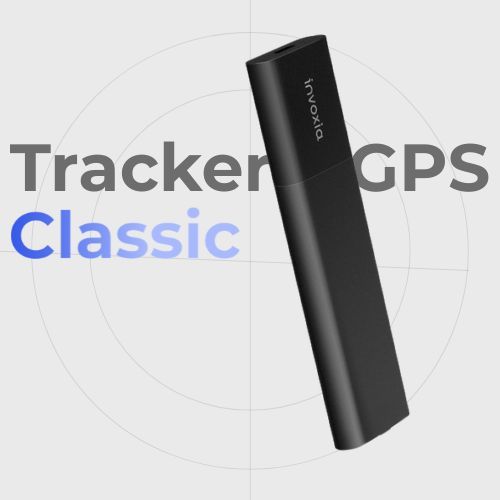
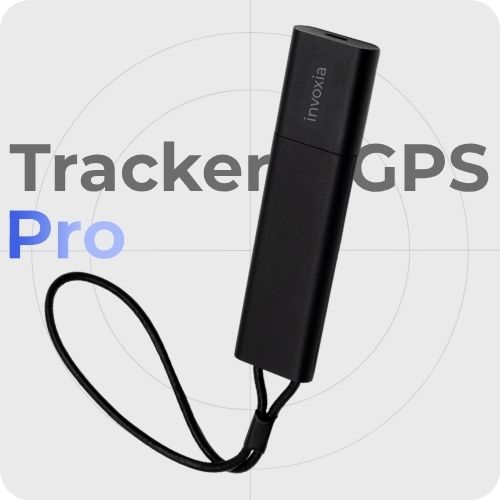
Invoxia GPS trackers have been designed with this logic: to offer useful tracking without imposing constant recharging. Depending on the model and use, some Invoxia trackers can reach several months of autonomy. The Classic GPS Tracker is, for example, designed for vehicles and valuable objects with long-lasting autonomy, up to 6 months, while the Pro GPS Tracker focuses on international coverage and more advanced tracking.
This autonomy is a real advantage over some solutions more dependent on a smartphone, short-duration battery, or very occasional use. The more autonomous the tracker, the more likely it is to be operational when you really need it.
To avoid unpleasant surprises, you need to integrate the battery into your habits:
- regularly check the charge level;
- activate battery-related notifications if they exist;
- recharge before going on vacation;
- check autonomy after a long period without use;
- avoid discovering an empty battery at the time of theft.
💡 The right reflex: choose a GPS tracker with real autonomy, then regularly check its battery level.
Mistake #5: Not Activating Important Alerts #
A GPS tracker is not only useful when you open the app to look at a map. It becomes much more interesting when it automatically alerts you. Not configuring alerts is therefore a real mistake.
Depending on the models, some alerts allow you to be notified when movement is detected, when an asset leaves a defined zone, when unusual movement occurs, or when a battery level becomes low. These notifications can save you precious time.
In case of theft, time matters. The sooner you are alerted, the faster you can react: check the situation, consult the last position, gather necessary information, and, if needed, contact authorities.
Useful alerts to check:
| Alert | Why it is useful |
|---|---|
| Suspicious movement | Be notified when an asset starts to move |
| Zone exit | Know when an object leaves a usual place |
| Low battery | Avoid a discharged tracker at the wrong time |
| Lost or stolen mode | Increase tracking when the situation becomes critical |
| Position sharing | More easily transmit useful information |
💡 The right reflex: take a few minutes after installation to configure notifications, rather than waiting for the day something disappears.
Mistake #6: Never Testing the Tracker Before a Real Problem #
Many users install their GPS tracker, then hardly ever test it. It’s a shame because a simple test allows you to verify that everything works: position, alerts, battery, app, network, safety zones, and any sharing options.
Before relying on a GPS tracker in case of theft, it’s better to know how it reacts in real life. You can, for example, test:
- if the position reports correctly;
- if the movement alert works;
- if notifications arrive on your phone;
- if the tracker captures where it is hidden;
- if the app is well connected;
- if position sharing or theft report is available;
- if another trusted person knows what to do in case of absence.
With an Invoxia tracker, this test is also an opportunity to verify that the tracker is well associated with the app, that notification settings are activated, and that the protected object is correctly identified. It’s a detail, but naming your tracker “car,” “motorcycle,” “bicycle,” “bag,” or “suitcase” allows you to react faster in case of an alert.
This test takes only a few minutes, but it can avoid a lot of stress the day the tracker becomes truly necessary.
💡 The right reflex: do a test after installation, then do a quick check before risky periods: vacations, moving, long-term parking, travel, weekend getaway.
Mistake #7: Choosing a Tracker Without Checking the Network Used #
Not all trackers work the same way. Some GPS trackers use low-power networks, others mobile connectivity, others depend on nearby devices. Some are designed for vehicle tracking, others for everyday objects or more occasional uses. The risk is choosing a tracker that doesn’t match its actual use.
For example, a stationary object in the city, a vehicle that often travels far, a bicycle parked outside, luggage on the move, or a motorcycle immobilized for several weeks do not have exactly the same constraints. Network coverage, autonomy, position frequency, and available alerts must be consistent with the intended use.
This is also one of the strengths of Invoxia trackers: they do not rely solely on the presence of a nearby phone to transmit their position, unlike AirTags and other Bluetooth trackers. Depending on the model, they use networks suitable for remote tracking, with connectivity designed for vehicles, valuable objects, and everyday movements.
It’s not about choosing “the best GPS tracker” in absolute terms, but choosing a model suited to what you want to protect.
💡 The right reflex: check coverage, autonomy, and transmission mode before purchase, not after.
Mistake #8: Believing All Trackers Work the Same Way #
The word “tracker” encompasses very different products.
A connected GPS tracker, a Bluetooth beacon, a community accessory, or a system integrated into a vehicle do not necessarily meet the same need. Some products are useful for finding an object nearby. Others are more suitable when an asset moves away, changes city, or ends up in an unknown place.
This confusion can create false expectations. You might think you’ve installed a remote location system when the device actually depends on very specific conditions to report a position.
This is notably what differentiates an autonomous GPS tracker from a proximity accessory. To find keys in an apartment, a Bluetooth beacon may suffice. To protect a car, motorcycle, bicycle, luggage, or professional equipment, you need a solution capable of transmitting a position remotely.
💡 The right reflex: look at how the tracker transmits its location, not just how it is presented. True remote tracking requires technology capable of sending information even when you’re not in immediate proximity.
Mistake #9: Using a GPS Tracker Without Respecting Privacy #
A GPS tracker must be used within a legal and legitimate framework. Protecting your car, motorcycle, bicycle, luggage, or valuable item is not the same as tracking a person without their knowledge. As soon as the use involves a person’s movements, the issue of privacy becomes essential.
The CNIL reminds that location sharing can reveal sensitive information about habits, routes, and frequented places. In a professional context, the geolocation of employees’ vehicles is also regulated: employees must be informed, and the purposes must be justified.
You must clearly distinguish:
- protecting an asset that belongs to you;
- tracking a professional vehicle in a declared context;
- locating a loved one in a clear and accepted safety context;
- tracking a person without information or consent.
This last case can be illegal and should not be trivialized.
💡 The right reflex: use a GPS tracker to protect an asset or in a transparent, proportionate, and lawful manner.
Mistake #10: Waiting for Theft to Learn How to Use the App #
The worst time to discover a GPS tracking app is after a theft.
In a stressful situation, time is easily lost: finding your credentials, understanding the map, searching the history, activating a specific mode, generating a document, sharing a position, contacting support, or explaining the situation to law enforcement.
A GPS tracker is much more useful when these actions are already known.
Before a problem occurs, it’s useful to know:
- where to check the last known position;
- how to read the history;
- how to activate an enhanced search mode if available;
- how to share a position;
- what information to provide in case of theft;
- who to contact;
- where to find useful documents.
This preparation is particularly important for exposed assets: vehicles parked on the street, two-wheelers, bicycles, trailers, professional equipment, bags, or luggage. The situations where attention decreases are often those where opportunistic thefts occur most easily.
💡 The right reflex: open the app before you need it, not after.
Mistake #11: Ignoring Risky Periods and Places #
A GPS tracker is useful all year round, but some moments deserve more vigilance.
Vacation departures, long weekends, long-term parking, little-frequented parking lots, terraces, transportation, or busy places are situations where attention can be relaxed. It’s often in these moments that an object becomes easier to take.
The goal is not to live in fear, but to adapt your reflexes.
If an asset will remain immobilized for several days, check the battery. If you’re going on a trip, make sure the tracker works in the concerned area. If you leave a bicycle, motorcycle, or car outside, check that alerts are activated. If you’re carrying a valuable item, place the tracker before departure, not at the last moment.
Long-autonomy trackers are particularly useful in this type of situation, as they can remain active for long periods without requiring constant recharging. It’s a real comfort for parked vehicles, two-wheelers, luggage, or equipment that is not handled daily.
💡 The right reflex: adapt the use of the tracker to periods, places, and travel habits.
Mistake #12: Thinking a GPS Jammer is a Distant Issue #
GPS jammers are not just for spy movies. In some cases, thieves may try to disrupt GPS signals or a tracker’s communications. This doesn’t mean a GPS tracker becomes useless, but it reminds us to avoid solutions that are too basic, too dependent on a single technology, or too easy to neutralize.
Interferences can have several origins. GPS.gov explains that GPS spectrum interferences can affect the signals used by GPS receivers. In France, the ANFR also reminds that a GNSS, GPS, or Galileo jammer can disrupt services that depend on satellite signals.
You should obviously never use a GPS jammer yourself. These devices can disrupt critical systems, and their use is prohibited in many countries.
💡 The right reflex: choose a reliable, well-configured, discreet, autonomous tracker, and don’t rely on a single protection reflex.
Checklist: Good Reflexes with a GPS Tracker #
Before considering your asset protected, check these points:
| Point to Check | Why It’s Important |
|---|---|
| The tracker is discreet | It should not be immediately removed |
| The signal passes correctly | A good location must remain effective |
| The battery is sufficient | A discharged tracker no longer protects anything |
| Alerts are activated | You are notified more quickly |
| The app is tested | You know what to do in case of a problem |
| The network is suitable | The tracker must match your usage |
| The tracker is autonomous | It should not depend solely on a nearby smartphone |
| Privacy rules are respected | The use must remain legal and legitimate |
| The tracker is regularly checked | Protection remains active over time |
Key Takeaways #
A GPS tracker is an excellent tool for protecting an asset, but its effectiveness depends greatly on its use. The most common mistakes don’t necessarily come from the product itself but from small oversights: poor placement, blocked signal, dead battery, deactivated alerts, or never-tested app.
The right approach is to see the GPS tracker as an active protection. It must be installed correctly, checked regularly, and integrated into a broader strategy: avoid making your assets too visible, slow down thieves, receive the right alerts, and know how to react quickly.
This is also why autonomy is an essential criterion. A GPS tracker that lasts over time, works remotely, and sends alerts without relying solely on a nearby phone offers more reassuring protection on a daily basis. This is precisely the positioning of Invoxia GPS trackers: discreet, autonomous solutions designed to protect what matters, from vehicles to valuable objects.
Well used, a GPS tracker doesn’t just indicate a position. It can become a real security reflex on a daily basis.
FAQ — Mistakes to Avoid with a GPS Tracker #
What are the most common mistakes with a GPS tracker? #
The most common mistakes are poorly placing the tracker, forgetting to check its battery, not activating alerts, never testing the app, and choosing a model without checking the network used.
Where should you not place a GPS tracker? #
It’s better to avoid places that are too visible, too accessible, or too surrounded by metal. A good location should remain discreet while allowing the tracker to capture correctly.
Why is autonomy important for a GPS tracker? #
Autonomy is essential because a GPS tracker must be operational when you need it. A long-autonomy model limits the risk of a dead battery and requires fewer daily recharges.
Why is my GPS tracker lacking precision? #
Precision can vary depending on the environment, buildings, underground parking, obstacles, the tracker’s location, and GPS reception quality.
Can a GPS tracker work in an underground parking lot? #
It depends on the conditions. Underground parking can limit GPS reception and network transmission. Therefore, the position may be less precise or update when the tracker regains better reception.
Should you regularly test your GPS tracker? #
Yes. It is advisable to regularly check the battery, alerts, reception, app, and position update. A simple test can avoid unpleasant surprises in case of theft or loss.
Does a GPS tracker replace a lock? #
No. A GPS tracker complements a lock but does not replace it. The lock serves to slow down or discourage theft, while the tracker helps detect and locate the moved asset.
Why is my GPS tracker no longer providing a position? #
A GPS tracker may no longer provide a position if its battery is dead, if the network is unavailable, if it is placed in a signal-blocking area, or if the app is not properly configured.
What is the difference between an autonomous GPS tracker and a Bluetooth beacon? #
A Bluetooth beacon generally depends on nearby devices to report its position. An autonomous GPS tracker is designed to transmit a location remotely via a suitable network, depending on the model and available coverage.
Can you track someone with a GPS tracker? #
The use of a GPS tracker must respect privacy and legal framework. Tracking someone without information or consent may be prohibited. Always use such a device in a legitimate, transparent, and proportionate context.
What to do in case of theft if I have a GPS tracker? #
You should check the last known position, verify the history, activate the search mode provided by the app if available, gather useful information, and transmit it to law enforcement. It is not advisable to intervene yourself.